Edit PDFs Like Never Before
Professional PDF editing that works entirely in your browser. No software to install, no complex learning curve. Just click, edit, and save.
- Inline editing
- Forms
- OCR
- Annotations
Product Preview
Powerful Editing Tools
Everything you need to edit, annotate, and transform PDFs.
Inline Text Editing
Click on any text in your PDF to edit it directly. Change fonts, sizes, colors, and formatting with ease.
Image Manipulation
Add, resize, rotate, replace, or remove images. Supports PNG, JPG, and other common formats.
Page Management
Reorder, rotate, delete, or insert pages. Merge multiple PDFs or split into separate files.
Annotations & Markup
Highlight, underline, strikethrough, add shapes, stamps, and freehand drawings.
Form Creation
Build interactive forms with text fields, checkboxes, dropdowns, buttons, and calculations.
OCR Text Recognition
Convert scanned documents to searchable, editable PDFs with accurate text recognition.
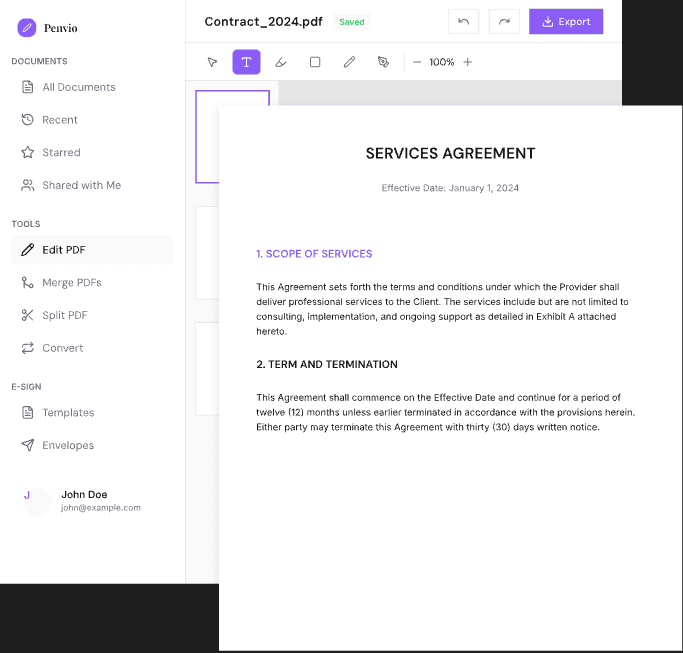
Inline Text Editing
Click on any text in your PDF to edit it directly. Our intelligent text recognition maintains formatting while giving you full control over fonts, sizes, and colors.
- Edit text without converting the document
- Match existing fonts automatically
- Add new text anywhere on the page
- Spell check and find/replace
Interactive Form Builder
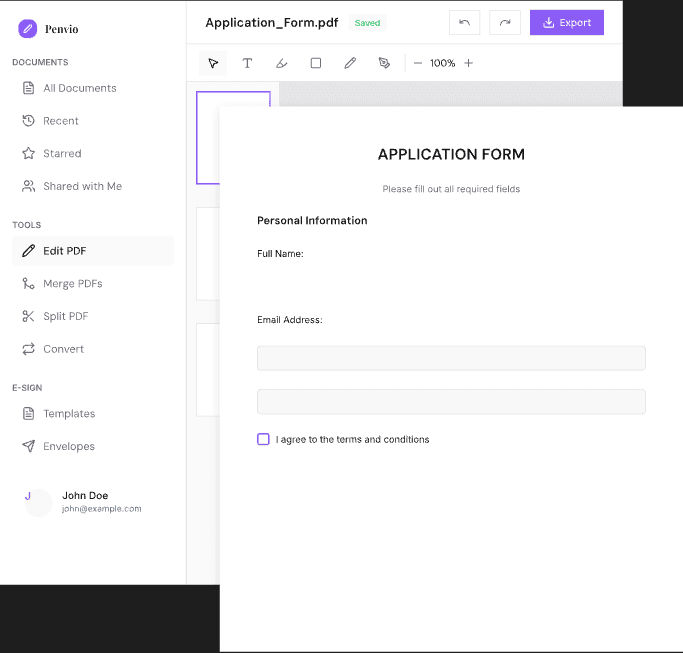
Create professional forms with a full suite of form fields. Add calculations, validation, and JavaScript actions for complex workflows.
- Text fields, checkboxes, dropdowns, and more
- Automatic calculations (sum, product, average)
- Field validation and formatting
- Submit and reset buttons with custom actions
OCR Text Recognition
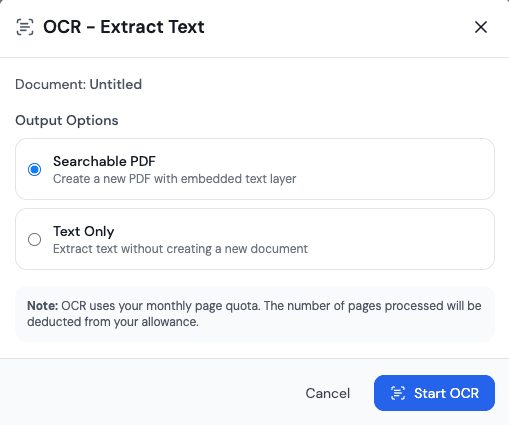
Transform scanned documents into searchable, editable PDFs. Our AWS-powered OCR accurately extracts text while preserving the original layout.
- High-accuracy text recognition
- Preserves original document layout
- Makes documents searchable
- Supports multiple languages
Professional Features
Tools for serious document workflows.
Headers, Footers & Bates
Add page numbers, dates, custom text, and Bates numbering for legal documents.
Watermarks & Backgrounds
Apply text or image watermarks and custom backgrounds to your documents.
Crop & Resize
Crop pages to remove unwanted content or resize for different paper sizes.
Convert & Export
Convert PDFs to images, Word, Excel, and more. Export in various formats.
Works With Your Workflow
Connect Penvio Edit to your existing tools and processes.
REST API
Programmatically edit, convert, and manage PDFs with our comprehensive API.
Webhooks
Get notified when documents are edited, signed, or processed.
Cloud Storage
Connect to S3, Google Cloud Storage, or Azure Blob for enterprise storage.
Ready to Start Editing?
Start using Penvio Edit for free. No credit card required.